 Reef
Reef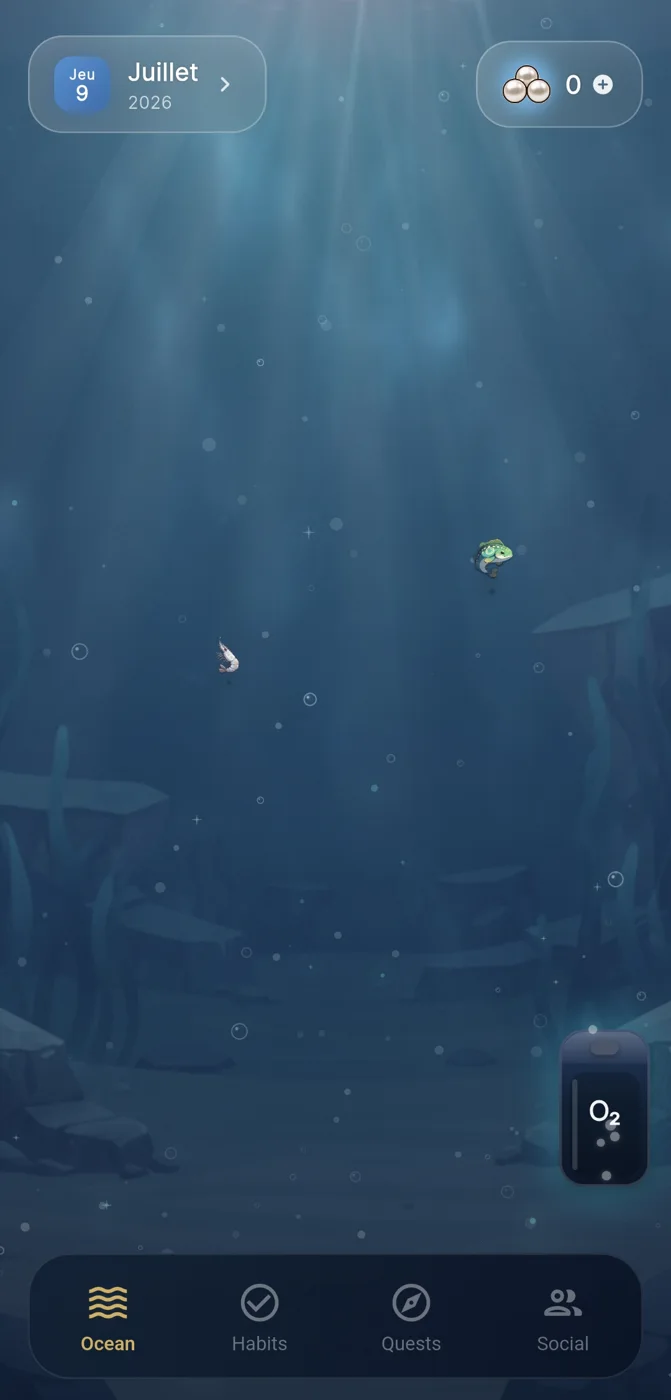
What a daily routine checklist app can help you organise
A daily routine checklist app can give repeated actions a clear home: the few things you want to return to, such as preparing for tomorrow, taking a walk, reading, or beginning a focused work block. Its value is not that it makes every day identical. It can reduce the effort of remembering what matters when attention is limited or a routine has been interrupted.
Before choosing one, separate a routine from a wish list. A routine contains actions that are small enough to repeat and concrete enough to recognise when they are done. “Move more” is broad; “take a ten-minute walk after lunch” is a checkable action. This distinction matters because a long, vague list can create pressure without showing a useful next step.
A checklist app is a planning and reflection aid, not proof that a person will sustain a behaviour. Schedules change, energy varies, and missed days happen. The practical question is whether the tool helps you return to an action without turning one interruption into a reason to abandon the routine.
- Choose actions with a clear completion point.
- Start with a limited number of repeating actions.
- Treat completion history as information, not a verdict on your discipline.
Daily routine checklist app features worth evaluating
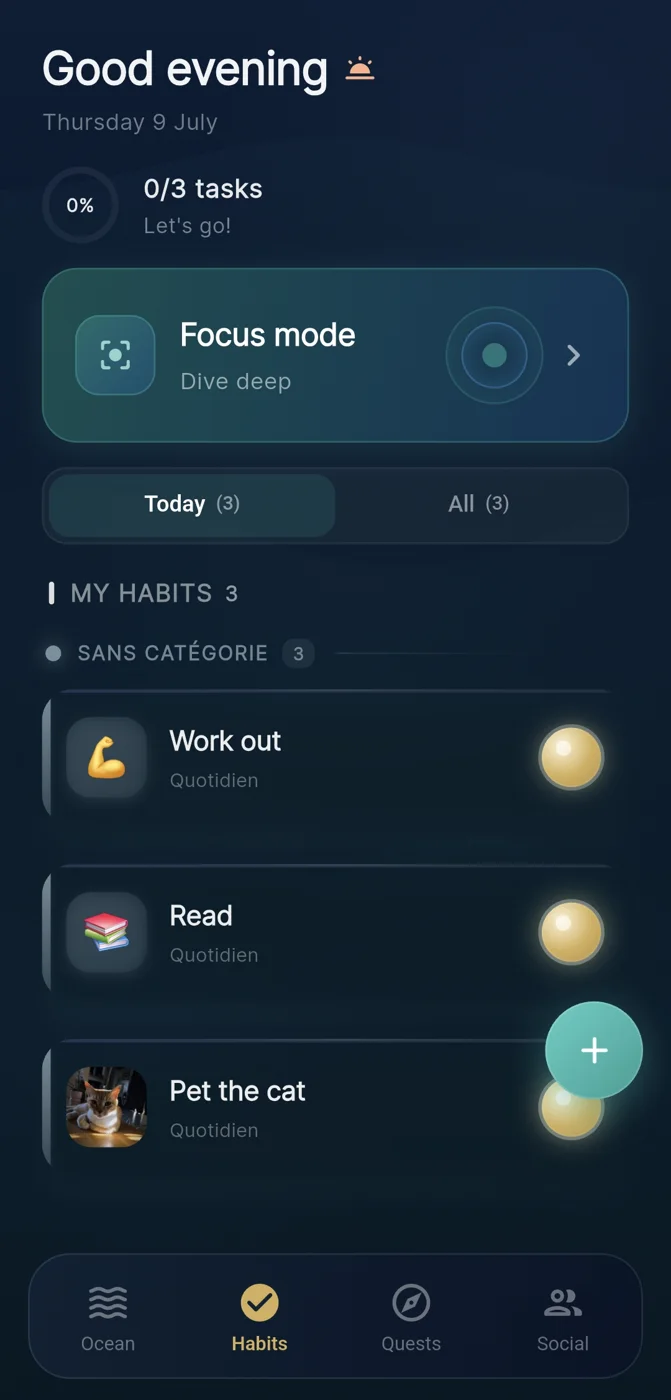
Look first at the loop created by the app: add an action, notice it at the appropriate time, mark it complete, and see what has accumulated. The loop should make progress understandable at a glance. A record of repeated completions can be more useful than an elaborate set of categories if it helps you decide what to do today.
Visual feedback may make the record feel more immediate. Reef is an IVRYN habit tracker for iOS and Android that represents completed habits as pearls added to an evolving ocean scene. In this context, the visual is not evidence of personal improvement; it is a way of making individual completed actions visible over time.
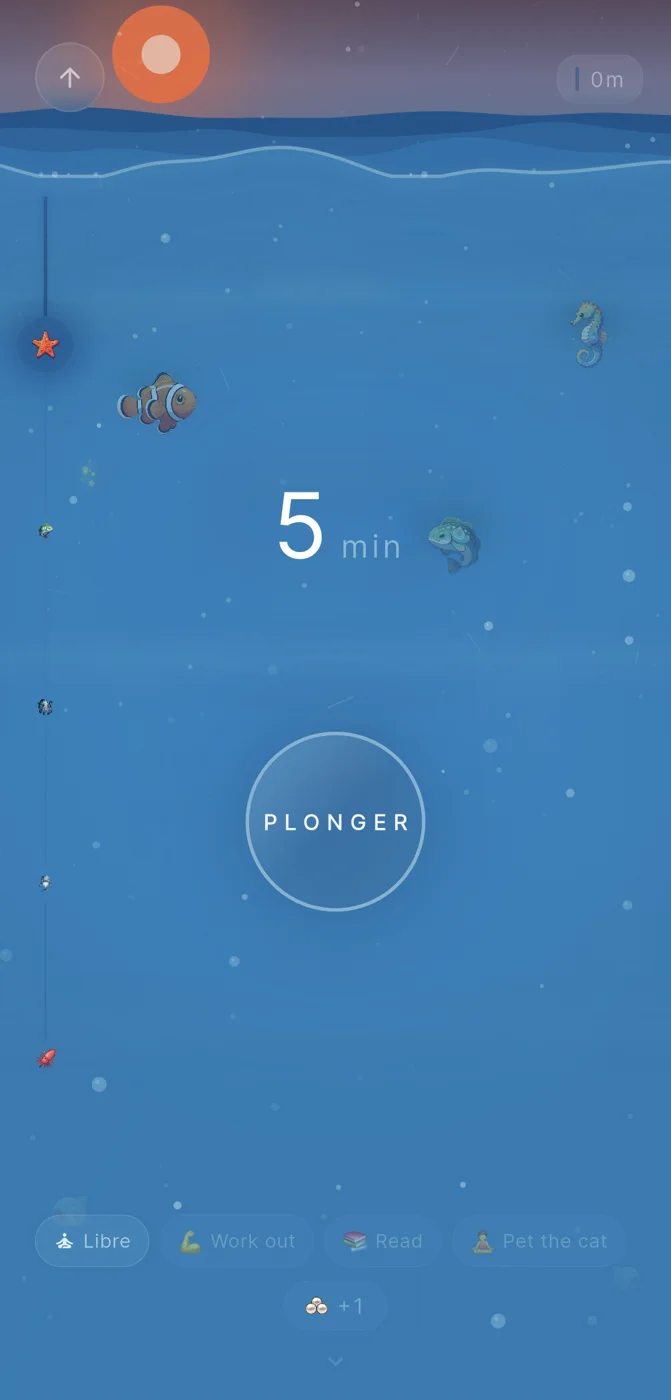
For concentration, consider whether the app distinguishes planning a habit from protecting a period of attention. Reef also frames focus periods as dives and awards pearls for focus time that is finished. That can suit someone who wants a separate ritual for beginning and closing a work session, while still keeping the result connected to their wider routine.
- Can you see which actions were completed without searching through menus?
- Does the app support the difference between a quick habit and a longer focus block?
- Does the feedback encourage a return after a missed day rather than only rewarding perfect streaks?
Build routines around small repeatable habits
The most durable starting point is often smaller than expected. Pick an action that fits an existing part of the day and make the first version easy to identify. For example, a morning routine might begin with filling a water bottle, reviewing one priority, and putting on walking shoes. Each is modest, but together they create a repeatable opening sequence.
Visible progress works best when it reflects actions you actually want to repeat. If an app turns every task into a collectible or score, pause before adding more items merely to increase the count. The useful signal is not a larger number by itself; it is whether the record shows the routines that support your own priorities.
The public Reef guidance on gamified tracking describes game-like progress as a possible motivational structure, while its methodology page sets an evidence-aware boundary around product discussion. Read this kind of guidance as design context rather than a universal claim: different people may find visuals, rewards, reminders, or simple lists useful in different ways.
- Anchor one new action to a reliable cue, such as breakfast or shutting down work.
- Make the first version short enough to complete on an ordinary day.
- Review after a week and remove items that do not serve a clear purpose.
Gentle recovery is part of a useful routine
A missed day is not necessarily a broken routine. Travel, illness, deadlines, caregiving, and changing schedules can all disrupt plans. A well-designed checklist practice leaves room to restart with the next available opportunity instead of demanding that you recreate an uninterrupted record.
Try to identify the friction behind a missed action. Was the action too large, tied to an unreliable time, dependent on equipment, or competing with another responsibility? The answer may be to shorten it, change the cue, or make a backup version. For instance, a planned thirty-minute evening workout might become five minutes of stretching on a demanding day.
This approach protects the meaning of the checklist. It remains a record of completed actions and a prompt for the next one, rather than a system that labels people as successful or unsuccessful. No app, including Reef, guarantees a behavioural or health result.
- After a missed day, choose the next scheduled instance rather than attempting to “catch up.”
- Create a smaller fallback version for high-friction days.
- Change the routine only after noticing a pattern, not after one imperfect day.
Optional accountability without making it a requirement
Some people prefer a private routine; others benefit from sharing a commitment with a friend or small group. Accountability can mean agreeing to check in, celebrating completed actions, or simply knowing that someone else is also trying to protect a focus period. It should remain voluntary and proportionate to the action being shared.
Reef offers optional social crews, so sharing is not required in order to use the habit and focus mechanics. That matters when choosing a daily routine checklist app: privacy, social comfort, and the kind of support you want are product-fit questions, not measures of commitment.
Set expectations before involving other people. A crew can support a gentle check-in, but it cannot take responsibility for another person’s routine. Avoid turning sharing into surveillance or a source of pressure. If it stops feeling supportive, change the agreement or return to private tracking.
- Decide what, if anything, you want others to see.
- Agree on a low-pressure check-in rhythm.
- Keep the option to track privately.
Example decision aid: choosing a simple setup
Example: Maya wants more consistency around her weekday evenings, but does not want a complicated productivity system. She chooses three repeatable items: prepare clothes for tomorrow, spend ten minutes reading, and begin a twenty-five-minute focus session for a personal project. She treats the focus session as time to protect, rather than another item to rush through.
In Reef, Maya could use habit completion to add visible pearls to her ocean and use the dive-style focus session for the personal-project block. She might keep the first two weeks private, then decide whether an optional crew would make a weekly check-in feel helpful. These are product-use possibilities, not expected outcomes.
At the end of two weeks, Maya reviews her record with practical questions: Which action was easiest to restart? Which one was unclear or poorly timed? Did the visual record make the routine easier to notice? Her decision is to keep, simplify, reschedule, or remove an item based on fit - not to demand perfect completion.
- Step 1: Select two or three actions with clear endpoints.
- Step 2: Assign a realistic cue and a fallback version.
- Step 3: Use visible progress as a review signal.
- Step 4: Add social sharing only if it feels useful and welcome.
- Step 5: Review the setup and adjust the actions, not your self-worth.
Frequently asked questions
What is a daily routine checklist app?
A daily routine checklist app is a digital tool for listing repeating actions, marking them complete, and reviewing the pattern over time. It can support planning and visibility, but it cannot guarantee that someone will maintain a routine.
How many habits should I add to a daily routine checklist app?
Start with a small number of actions that have clear endpoints and fit your current day. Adding two or three habits first can make it easier to learn which cues and timings are realistic before expanding the list.
Can I use Reef without sharing my habits with other people?
Yes. Reef includes optional social crews, so you can use its habit tracking, pearl-based visual progress, and dive-themed focus sessions without participating in social accountability.
Sources and further reading
These resources provide the wider reference frame. Product statements on this page are limited to the public information provided by Reef.