 Reef
Reef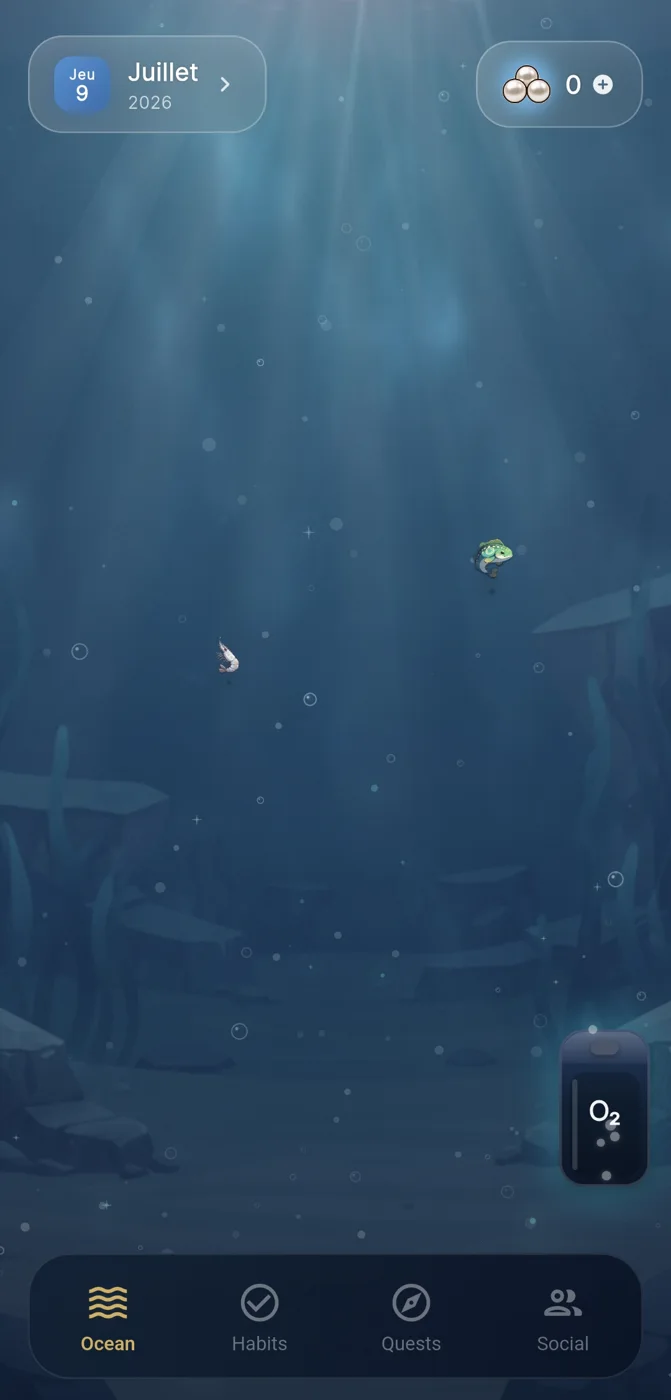

Why 'laptop' changes the question
When someone searches for the best habit tracker for laptop, they usually mean one of two things: a tool with a proper desktop or web interface they can keep open during work hours, or a mobile app they check while sitting at their laptop between tasks. These are different use cases, and conflating them leads to disappointment. A desktop-first tracker tends to suit people who log habits in bursts during work breaks, at a desk, with a keyboard. A mobile-first tracker tends to suit people who want the habit prompt to follow them away from the desk, at moments a laptop isn't open.
Before comparing tools, it helps to be honest about which pattern actually matches your day. Someone who works from a laptop for eight hours and rarely opens their phone during that window will get more value from something built around a browser tab. Someone whose habits (movement, meals, evening wind-down) happen away from the laptop will likely do better with a phone-based tool they can glance at anywhere, even if they also use a laptop for planning.
What actually predicts whether a tracker sticks
Across most guidance on habit formation, a small number of design features show up repeatedly as important, regardless of platform: the habit itself should be small and repeatable, progress should be visible rather than buried in a log, missed days should be recoverable without shame or reset-to-zero pressure, and any social layer should be optional rather than mandatory. These four principles matter more than whether the app runs natively on a laptop, because the underlying behaviour is happening in the world, not in the software.
A tracker that is technically convenient on a laptop but violates these principles - for example, one that punishes a missed day by wiping a streak, or that forces you into a group challenge to use core features - is likely to be abandoned faster than a less convenient tool that gets the psychology right. So the 'laptop' part of the search is worth treating as a secondary filter, applied after you've confirmed the tracker's core mechanics support gentle, repeatable use.
Where Reef fits, and where it doesn't
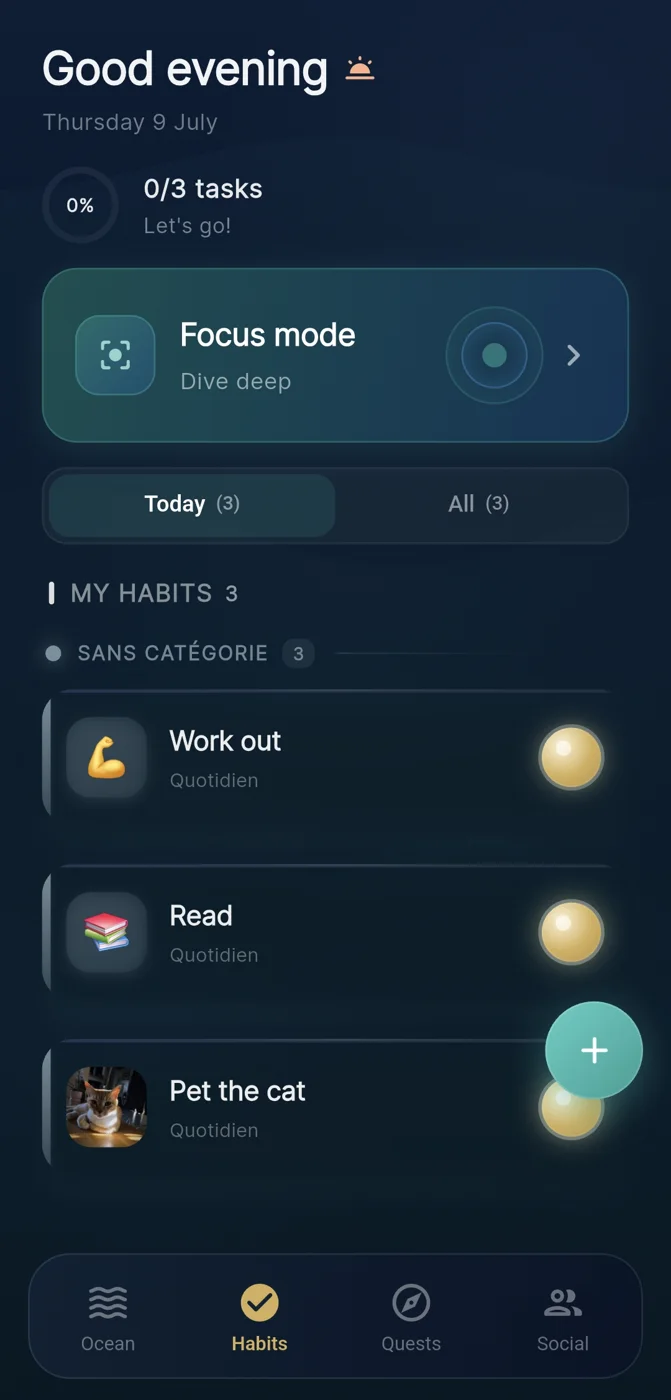
Reef is a mobile habit tracker from IVRYN, built for iOS and Android rather than as a native laptop or desktop application. It's relevant to this search mainly as a contrast case: if someone wants a primarily desktop-based experience they keep open on a laptop all day, Reef isn't that tool. If someone wants a habit tracker that lives on their phone but complements laptop-based work - checked during a coffee break or a walk away from the desk - it fits a workflow that includes a laptop without living inside one.
In Reef, completing a habit adds a pearl to an evolving visual ocean, which gives progress a visible, cumulative form rather than a plain checklist. Focus sessions are framed as dives, with completed focus time also earning pearls, which is one way to extend habit tracking into concentrated work blocks - something a laptop user doing deep work might find more directly useful than a habit log alone. Social crews in Reef are optional, and the app does not claim to guarantee any particular behaviour or health outcome, which matters if you're evaluating tools partly on how honestly they set expectations.
A worked example: choosing between two shortlisted trackers
Here is a hypothetical to illustrate the decision process, not a real comparison of named products. Imagine someone drafts a shortlist of two trackers after a search for the best habit tracker for laptop: Tracker A is a browser-based dashboard they'd keep pinned as a tab; Tracker B is a phone app with a visual reward system and optional group accountability.
They start by mapping their habits: three are desk-adjacent (drink water, stretch, review daily notes) and two happen away from the laptop (evening walk, reading before bed). That split suggests neither tool alone is a perfect fit, so they test a combined approach for two weeks - Tracker A open during work hours for the desk habits, Tracker B for the two evening ones - and pay attention to which one they actually open without being reminded.
After two weeks they notice they check Tracker B far more consistently, partly because its visual progress (in this hypothetical, something like a filling reward meter) feels more satisfying to glance at than Tracker A's plain checkbox list, even for the desk-adjacent habits. They drop Tracker A and consolidate everything into Tracker B, checked briefly from the laptop's browser and from their phone. The lesson isn't that mobile beats desktop generally - it's that observing your own actual usage for a short trial period beats guessing in advance.
A practical evaluation checklist
When narrowing a shortlist, it helps to separate platform convenience from habit-design quality, since the search term conflates them. Use the platform questions to filter for laptop compatibility, and the design questions to filter for whether the tool will actually hold your attention past the first week.
- Platform fit: does it need a native laptop app, a browser tab, a phone you keep nearby, or some combination during your typical day?
- Habit size: does the tool encourage small, repeatable actions rather than large ambitious goals that are easy to abandon?
- Recovery after a miss: does missing a day reset all progress, or does the tool allow a gentle return without punishing the streak entirely?
- Visibility of progress: is progress represented in a way you'll actually want to check, not just a log you have to search through?
- Social layer: if there's a group or accountability feature, is it optional, and can you use the core tracking without it?
- Claims: does the tool avoid promising guaranteed outcomes, and does it describe its mechanics honestly rather than as a cure-all?
Setting realistic expectations
No habit tracker, on a laptop or a phone, can guarantee that a habit sticks; the tool can only make the action easier to start, easier to see, and easier to forgive when missed. That's a deliberately modest claim, and it's worth being suspicious of any tracker that promises more - guaranteed streaks, measurable health outcomes, or transformation timelines - since behaviour change depends on far more than software.
The most useful frame for the search 'best habit tracker for laptop' is therefore not 'which app has the best desktop interface' but 'which combination of interface and design principles will I actually keep using from wherever I sit down.' For many people that answer involves a laptop for planning and review, and a phone for the moment-to-moment habit and focus tracking itself.
Frequently asked questions
Is a laptop-based habit tracker always better than a mobile one?
Not necessarily. A laptop-based tracker suits habits that happen at a desk during work hours, while a mobile tracker suits habits that occur away from the laptop; many people benefit from combining both rather than choosing one exclusively.
What features matter most when comparing habit trackers, regardless of platform?
Look for small, repeatable habit design, visible and satisfying progress indicators, a gentle way to recover after a missed day without losing all progress, and optional rather than mandatory social accountability features.
Can a habit tracker guarantee that a habit will stick?
No tracker can guarantee behaviour change; tools like Reef are explicit that outcomes aren't guaranteed and that social features are optional, since sustained habit formation depends on many factors beyond any single app.
Sources and further reading
These resources provide the wider reference frame. Product statements on this page are limited to the public information provided by Reef.