 Reef
Reef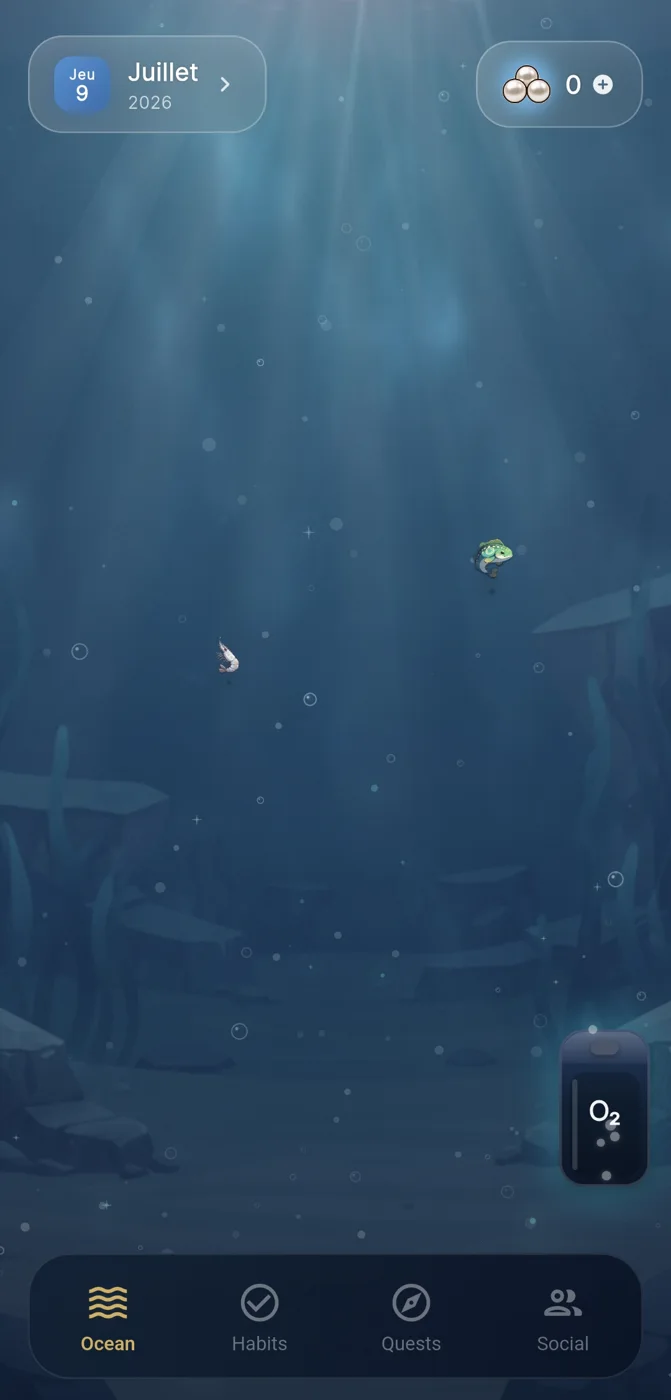
Why people search for a habit app for pc
Searching for a habit app for pc usually means one of two things: wanting to log habits from a desk instead of a phone, or wanting a mobile habit app whose progress can still be checked or planned from a computer during work hours. These are different needs, and conflating them leads to disappointment, because most well-designed habit apps are built mobile-first for a reason - habits happen throughout the day, away from a keyboard.
Before evaluating any specific option, it helps to be honest about which of those two needs you actually have. If you want a full native desktop application with offline habit editing, your options are narrower and often less polished than mobile alternatives. If you mainly want visibility into your streaks or focus sessions while at a computer, a mobile app with a web view or export option may already solve the problem without you needing a dedicated desktop tool at all.
What actually matters more than the platform
The platform question (phone versus pc) is secondary to a more important one: does the app make small, repeatable actions easy to log and easy to see over time? A habit tracker's core job is reducing friction at the moment you complete - or miss - a habit, and reinforcing that with a visible sense of progress. That principle holds regardless of which device you use.
Gentle recovery after missed days is another feature worth prioritizing over pc access. Many trackers punish broken streaks with guilt-inducing resets or harsh visuals, which discourages people from returning. A tool that treats a missed day as a pause rather than a failure tends to support longer-term consistency, because it lowers the emotional cost of restarting.
Optional social accountability is a third factor. Some people benefit from sharing progress with a small group; others find it adds pressure they don't want. Neither approach is inherently better - it depends on your own relationship with visibility and social pressure, and a good habit app should let you opt in or out rather than forcing one mode.
Reef's approach, and its limits
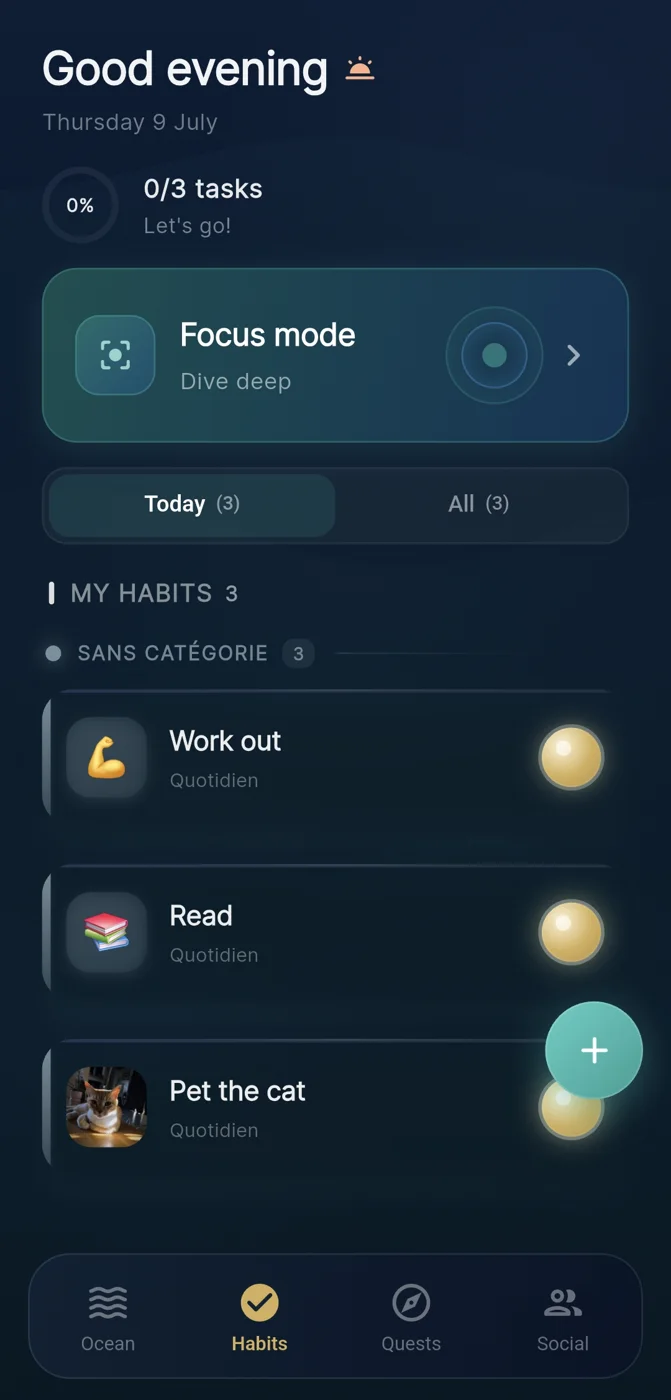
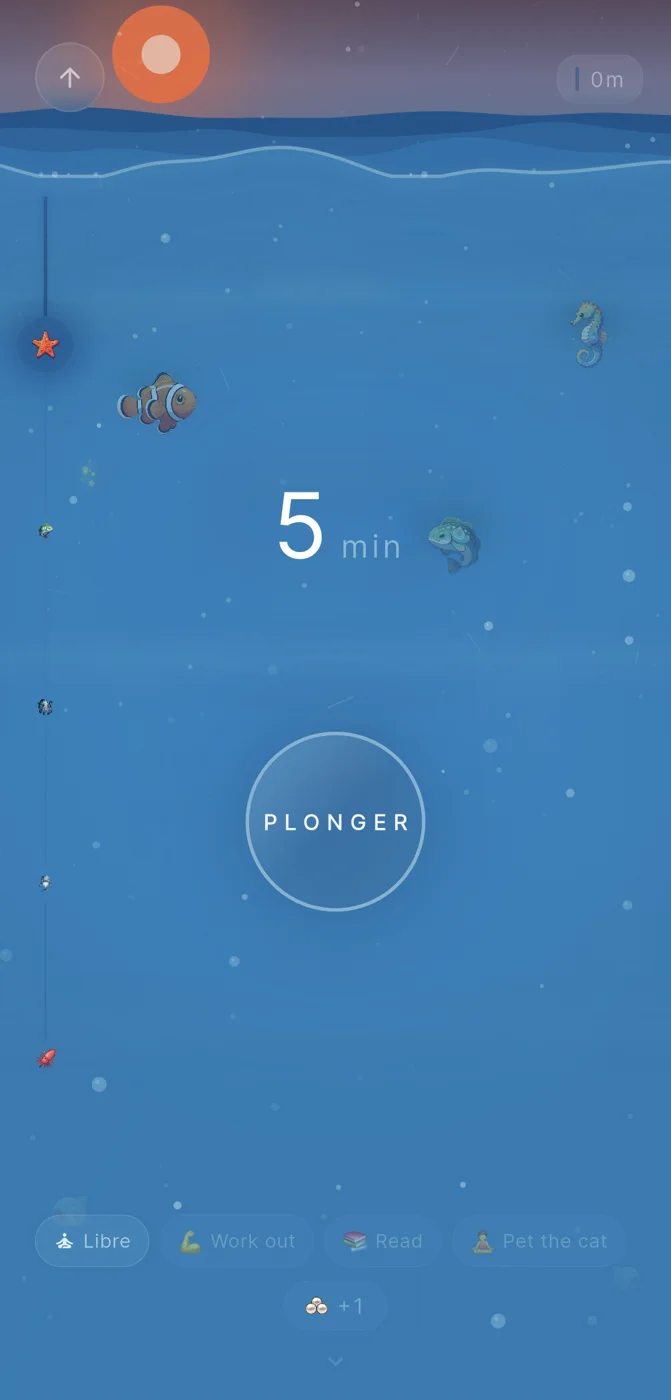
Reef, made by IVRYN, is a mobile habit tracker for iOS and Android built around a visual metaphor: completing a habit contributes a pearl to an evolving underwater scene, so progress accumulates as something you can see rather than just a number or checkmark. Focus sessions use a dive metaphor, rewarding sustained attention with pearls in the same way habit completions do, which ties short-term focus work into the same visible system as daily habits.
Reef also includes optional crews for people who want light social accountability, though joining one is never required to use the core habit or focus features. It's worth being explicit here: Reef does not promise a specific behaviour change or health outcome, and it is not designed as a desktop application - it is a phone-based tool. If having a native pc app is a hard requirement for you, Reef's mobile-only design means it may not fit that specific need, even if its underlying habit and focus mechanics are otherwise a good match for how you want to work.
A worked example: choosing based on your actual workflow
Consider a hypothetical reader, Alex, who works at a computer most of the day and wants to build a habit of taking three short walking breaks. Alex initially searches for a 'habit app for pc' assuming they need something they can click into between tasks.
On reflection, Alex realizes the walking habit itself happens away from the computer, so logging it needs to be fast and available on a phone in the moment it's completed - not buried in a desktop app they'd have to switch windows to reach. What Alex actually wants from the 'pc' side is just a quick glance at their weekly consistency, which many mobile apps already support through simple visual summaries inside the app itself, without needing separate desktop software.
This example illustrates a broader point: the desktop requirement often dissolves once you separate 'logging the habit' from 'reviewing progress.' If your habits happen away from your desk, a mobile-first tracker with clear visual progress may serve you better than hunting for a dedicated pc application.
A simple decision checklist
Use the following checklist to decide whether you actually need pc access, or whether a mobile habit app with good visibility will do.
- Do most of your target habits physically happen at a computer, or away from it?
- Do you need to edit or plan habits in detail, or just glance at progress periodically?
- Would a quick visual summary inside a mobile app satisfy your 'checking in' need, without a separate desktop tool?
- Do you want optional social accountability, and if so, does the app let you opt out later?
- Does the app treat missed days gently, or does it reset progress in a way that could discourage you from returning?
Setting realistic expectations
No habit app, on pc or phone, guarantees that a habit will stick. Tools like Reef are designed to make repeated actions visible and to lower the friction of logging and recovering from missed days, but the underlying behaviour change still depends on the person using them consistently over time. Treat any tracker as a support structure, not a solution in itself.
If pc access remains a firm requirement for you after working through the checklist above, it's reasonable to keep looking for a dedicated desktop tool, since not every mobile-first app will meet that need. The right choice ultimately depends on where your habits actually happen and how much friction you're willing to tolerate to log them.
Frequently asked questions
Is there a real difference between a habit app for pc and a mobile habit app I check from a computer?
Yes. A true pc habit app runs natively on a desktop with offline logging and editing, while a mobile app checked from a computer usually just means viewing a web dashboard or export; most mobile-first trackers only offer the latter, so confirm which one you actually need before choosing a tool.
Does gentle recovery after a missed habit day actually matter for consistency?
It can matter because trackers that harshly reset streaks or shame missed days may discourage people from returning at all, whereas tools that treat a missed day as a pause tend to lower the emotional barrier to restarting; this is a design principle worth prioritizing regardless of which platform an app runs on.
Is Reef available as a desktop application for pc?
No. Reef, made by IVRYN, is a mobile habit tracker for iOS and Android built around a pearl-collecting visual metaphor and dive-themed focus sessions; it does not offer a native pc application, so anyone requiring dedicated desktop software should look elsewhere for that specific feature.
Sources and further reading
These resources provide the wider reference frame. Product statements on this page are limited to the public information provided by Reef.